
Last updated: January 20th, 2021 at 11:34 am
Lotus Notes also known as IBM Notes is a most famous email client that provides a highly secure interface for emailing purposes. Most users utilize this application for emailing, calendaring, and various other kinds of work. Lotus Notes automatically generates a .nsf file for storing its data like-emails, contacts, calendars, tasks, etc. But the NSF file only supports working with Lotus Notes, which means there is no direct method is available to open the NSF file. Here in this blog, we provide you the methods that let you open the NSF Files without the Lotus Notes requirement.
If you are searching for a method to access the NSF file directly like the Outlook PST file? The answer is “No“. Because it is not possible to open the NSF file out of Lotus Notes. But you can try the method to convert NSF file to PST. In this way, you can access the Lotus Notes database in Outlook without the requirement of Lotus Notes
Methods to Convert NSF to PST
Perform NSF to PST Conversion Manually to Open NSF file without Lotus Notes
The manual conversion procedure involves two processes-
Export data from Lotus Notes NSF file to CSV
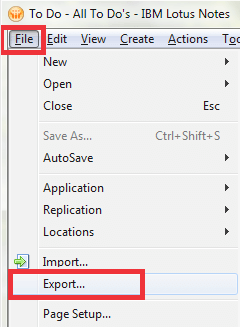
- Launch Lotus Notes on your machine then File and now go to Export.
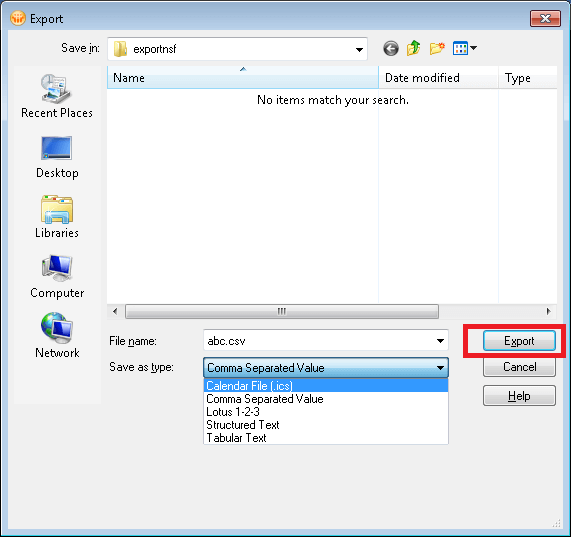
- An Export Wizard will open now select the location to save the file and choose the save as type from the drop-down list as “Comma Separated Value” name the file & then click over “Export”.
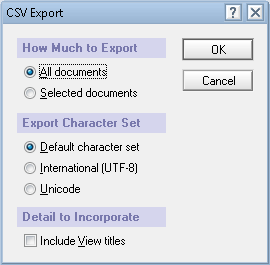
- After making the selection of the appropriate options click “OK”. to start the lotus notes email items export process.
Now, after making the successful export of the Lotus Notes data to CSV, we have to import this created file in MS Outlook.
Import CSV file to MS Outlook
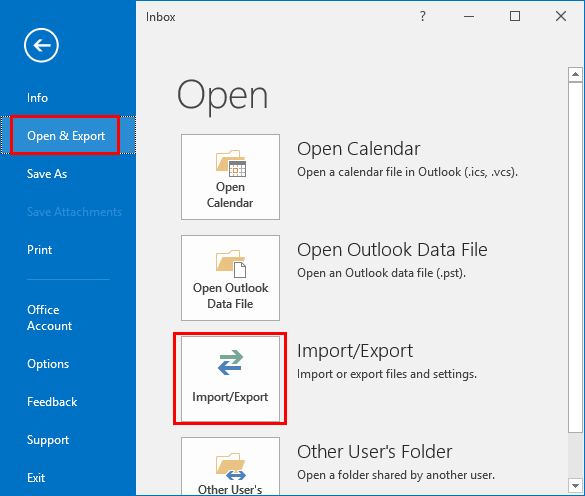
- Launch MS Outlook in your machine and click on the “File” option from the menu.
- Select Open/Export and then choose the Import & Export option.
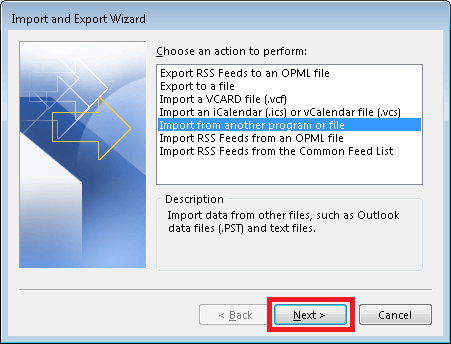
- Next, an Import Export Wizard would open. In this window, you need to select the option “Import from another program or file” and then click on “Next”.
- After this an Import a file window will appear n your screen.
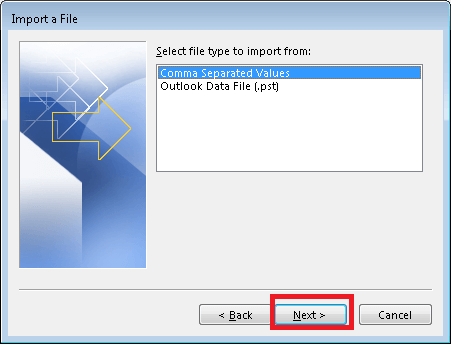
- Here, you need to select the comma-separated values then click next.
- Now, hit on browse and select the CSV file from its location that we have previously exported from Lotus Notes.
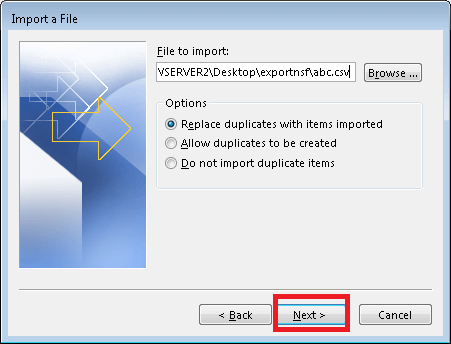
- Now select the folder to save the data of the CSV file & then click on Next.
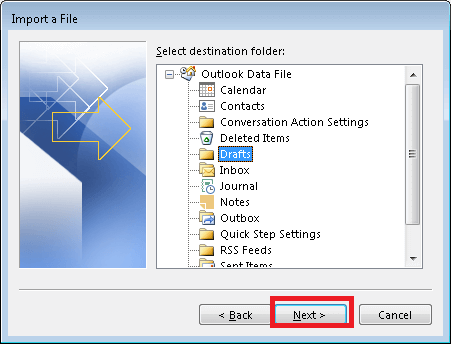
- After this simply click on the finish button to start the import process of Lotus Notes items in Outlook.
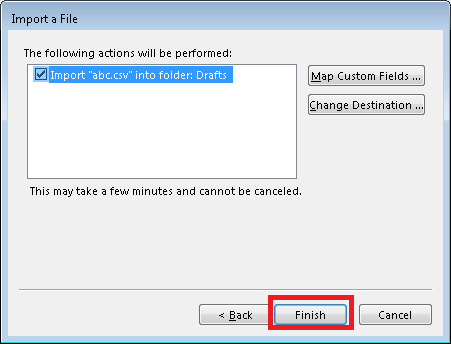
By applying these steps you can export data of Lotus Notes from an NSF file to Outlook. And also by finishing this process you will get the facility to open the NSF file without the Lotus Notes requirement.
Instant solution to Open & view NSF file without Lotus notes
Talking about the Manual Method, various people utilize this Manual Method because it is free of cost. However, this solution does not provide the guarantee of 100% safe and accurate data conversion. For doing a secure and most reliable conversion of Lotus Notes NSF file to PST it is recommended to use a third-party tool. Recently the brand IDC (Instant Data Care) has launched an application known as NSF to PST Converter Software. This tool will help you to save you valuable time & helps to solve all your problems related to Lotus Notes.
Benefits of Using this Automated Tool:
- Utilize this fantastic software to perform the export process of NSF emails to PST File format in bulk.
- Shows a live preview of NSF Files inner items & offers to selectively transfer items in Outlook PST.
- Maintains the exact folder Hierarchy while viewing the NSF file and after transferring NSF file data in PST.
How to use this tool to open NSF file
- Download and start the IDC NSF to PST Converter
- Click on the Select NSF button.

- Now choose any one option Select NSF file or Search NSF Database to get the NSF file from its location and hit on Start Scanning button.

- After you open NSF file and you will see all data like emails items & folder of Lotus Notes is now of your computer.

- Select the required items and click on Convert from the top menu.
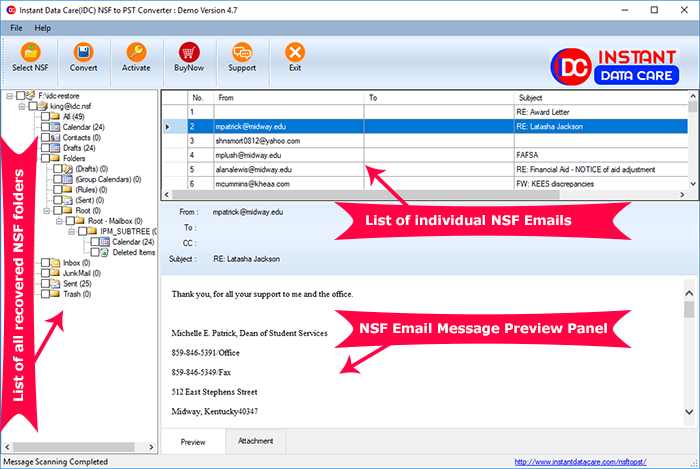
- Now choose any one file format from the provided options to convert NSF file.

- Select the location where you want to save the new file and on Convert and start the conversion without any problem.
After this simply run the resulted file with other email client with the requirement of Lotus Notes.
Conclusion
You must have got the best information through this blog on “how you can open and view NSF Files without Lotus Notes”. Also, make sure that you make the best decision wisely to go with the best solution that is helping to solve your problem of accessing NSF file without Lotus Notes.